I cannot access photos from the camera roll - iOS
Automatically translated from Danish
If you can't select photos from your camera roll on your iPhone, the issue might be caused by the way Apple handles privacy permissions. Unfortunately, it isn't very user-friendly 😐
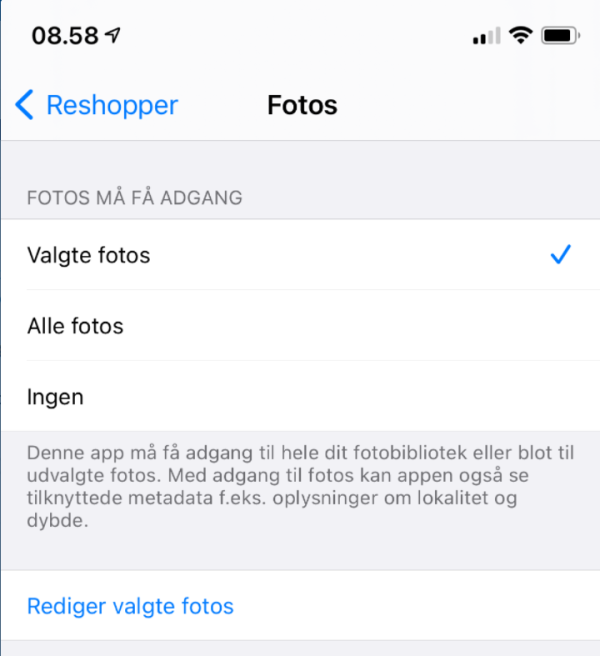
You can change the permission by locating Reshopper in your iPhone's "Settings." Go to "Settings" -> "Privacy" -> "Photos" -> "Reshopper":
You need to select 'All Photos' to grant access to all images, including any new ones you take.
Was this article helpful?